| 1 |
PHPMatrix |
| 2 |
========== |
| 3 |
|
| 4 |
--- |
| 5 |
|
| 6 |
PHP Class for handling Matrices |
| 7 |
|
| 8 |
[](http://travis-ci.org/MarkBaker/PHPMatrix](http://travis-ci.org/MarkBaker/PHPMatrix](http://travis-ci.org/MarkBaker/PHPMatrix) |
| 9 |
|
| 10 |
[](https://xkcd.com/184/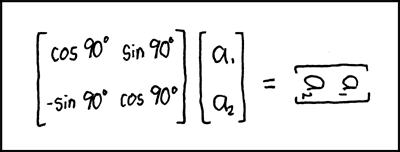](https://xkcd.com/184/](https://xkcd.com/184/) |
| 11 |
|
| 12 |
Matrix Transform |
| 13 |
|
| 14 |
--- |
| 15 |
|
| 16 |
This library currently provides the following operations: |
| 17 |
|
| 18 |
- addition |
| 19 |
- direct sum |
| 20 |
- subtraction |
| 21 |
- multiplication |
| 22 |
- division (using [A].[B]<sup>-1</sup>) |
| 23 |
- division by |
| 24 |
- division into |
| 25 |
|
| 26 |
together with functions for |
| 27 |
|
| 28 |
- adjoint |
| 29 |
- antidiagonal |
| 30 |
- cofactors |
| 31 |
- determinant |
| 32 |
- diagonal |
| 33 |
- identity |
| 34 |
- inverse |
| 35 |
- minors |
| 36 |
- trace |
| 37 |
- transpose |
| 38 |
- solve |
| 39 |
|
| 40 |
Given Matrices A and B, calculate X for A.X = B |
| 41 |
|
| 42 |
and classes for |
| 43 |
|
| 44 |
- Decomposition |
| 45 |
- LU Decomposition with partial row pivoting, |
| 46 |
|
| 47 |
such that [P].[A] = [L].[U] and [A] = [P]<sup>|</sup>.[L].[U] |
| 48 |
- QR Decomposition |
| 49 |
|
| 50 |
such that [A] = [Q].[R] |
| 51 |
|
| 52 |
## TO DO |
| 53 |
|
| 54 |
- power() function |
| 55 |
- Decomposition |
| 56 |
- Cholesky Decomposition |
| 57 |
- EigenValue Decomposition |
| 58 |
- EigenValues |
| 59 |
- EigenVectors |
| 60 |
|
| 61 |
--- |
| 62 |
|
| 63 |
# Usage |
| 64 |
|
| 65 |
To create a new Matrix object, provide an array as the constructor argument |
| 66 |
|
| 67 |
```php |
| 68 |
$grid = [ |
| 69 |
[16, 3, 2, 13], |
| 70 |
[ 5, 10, 11, 8], |
| 71 |
[ 9, 6, 7, 12], |
| 72 |
[ 4, 15, 14, 1], |
| 73 |
]; |
| 74 |
|
| 75 |
$matrix = new Matrix\Matrix($grid); |
| 76 |
``` |
| 77 |
The `Builder` class provides helper methods for creating specific matrices, specifically an identity matrix of a specified size; or a matrix of a specified dimensions, with every cell containing a set value. |
| 78 |
```php |
| 79 |
$matrix = Matrix\Builder::createFilledMatrix(1, 5, 3); |
| 80 |
``` |
| 81 |
Will create a matrix of 5 rows and 3 columns, filled with a `1` in every cell; while |
| 82 |
```php |
| 83 |
$matrix = Matrix\Builder::createIdentityMatrix(3); |
| 84 |
``` |
| 85 |
will create a 3x3 identity matrix. |
| 86 |
|
| 87 |
|
| 88 |
Matrix objects are immutable: whenever you call a method or pass a grid to a function that returns a matrix value, a new Matrix object will be returned, and the original will remain unchanged. This also allows you to chain multiple methods as you would for a fluent interface (as long as they are methods that will return a Matrix result). |
| 89 |
|
| 90 |
## Performing Mathematical Operations |
| 91 |
|
| 92 |
To perform mathematical operations with Matrices, you can call the appropriate method against a matrix value, passing other values as arguments |
| 93 |
|
| 94 |
```php |
| 95 |
$matrix1 = new Matrix\Matrix([ |
| 96 |
[2, 7, 6], |
| 97 |
[9, 5, 1], |
| 98 |
[4, 3, 8], |
| 99 |
]); |
| 100 |
$matrix2 = new Matrix\Matrix([ |
| 101 |
[1, 2, 3], |
| 102 |
[4, 5, 6], |
| 103 |
[7, 8, 9], |
| 104 |
]); |
| 105 |
|
| 106 |
var_dump($matrix1->multiply($matrix2)->toArray()); |
| 107 |
``` |
| 108 |
or pass all values to the appropriate function |
| 109 |
```php |
| 110 |
$matrix1 = new Matrix\Matrix([ |
| 111 |
[2, 7, 6], |
| 112 |
[9, 5, 1], |
| 113 |
[4, 3, 8], |
| 114 |
]); |
| 115 |
$matrix2 = new Matrix\Matrix([ |
| 116 |
[1, 2, 3], |
| 117 |
[4, 5, 6], |
| 118 |
[7, 8, 9], |
| 119 |
]); |
| 120 |
|
| 121 |
var_dump(Matrix\multiply($matrix1, $matrix2)->toArray()); |
| 122 |
``` |
| 123 |
You can pass in the arguments as Matrix objects, or as arrays. |
| 124 |
|
| 125 |
If you want to perform the same operation against multiple values (e.g. to add three or more matrices), then you can pass multiple arguments to any of the operations. |
| 126 |
|
| 127 |
## Using functions |
| 128 |
|
| 129 |
When calling any of the available functions for a matrix value, you can either call the relevant method for the Matrix object |
| 130 |
```php |
| 131 |
$grid = [ |
| 132 |
[16, 3, 2, 13], |
| 133 |
[ 5, 10, 11, 8], |
| 134 |
[ 9, 6, 7, 12], |
| 135 |
[ 4, 15, 14, 1], |
| 136 |
]; |
| 137 |
|
| 138 |
$matrix = new Matrix\Matrix($grid); |
| 139 |
|
| 140 |
echo $matrix->trace(); |
| 141 |
``` |
| 142 |
or you can call the function as you would in procedural code, passing the Matrix object as an argument |
| 143 |
```php |
| 144 |
$grid = [ |
| 145 |
[16, 3, 2, 13], |
| 146 |
[ 5, 10, 11, 8], |
| 147 |
[ 9, 6, 7, 12], |
| 148 |
[ 4, 15, 14, 1], |
| 149 |
]; |
| 150 |
|
| 151 |
$matrix = new Matrix\Matrix($grid); |
| 152 |
echo Matrix\trace($matrix); |
| 153 |
``` |
| 154 |
When called procedurally using the function, you can pass in the argument as a Matrix object, or as an array. |
| 155 |
```php |
| 156 |
$grid = [ |
| 157 |
[16, 3, 2, 13], |
| 158 |
[ 5, 10, 11, 8], |
| 159 |
[ 9, 6, 7, 12], |
| 160 |
[ 4, 15, 14, 1], |
| 161 |
]; |
| 162 |
|
| 163 |
echo Matrix\trace($grid); |
| 164 |
``` |
| 165 |
As an alternative, it is also possible to call the method directly from the `Functions` class. |
| 166 |
```php |
| 167 |
$grid = [ |
| 168 |
[16, 3, 2, 13], |
| 169 |
[ 5, 10, 11, 8], |
| 170 |
[ 9, 6, 7, 12], |
| 171 |
[ 4, 15, 14, 1], |
| 172 |
]; |
| 173 |
|
| 174 |
$matrix = new Matrix\Matrix($grid); |
| 175 |
echo Matrix\Functions::trace($matrix); |
| 176 |
``` |
| 177 |
Used this way, methods must be called statically, and the argument must be the Matrix object, and cannot be an array. |
| 178 |
|
| 179 |
## Decomposition |
| 180 |
|
| 181 |
The library also provides classes for matrix decomposition. You can access these using |
| 182 |
```php |
| 183 |
$grid = [ |
| 184 |
[1, 2], |
| 185 |
[3, 4], |
| 186 |
]; |
| 187 |
|
| 188 |
$matrix = new Matrix\Matrix($grid); |
| 189 |
|
| 190 |
$decomposition = new Matrix\Decomposition\QR($matrix); |
| 191 |
$Q = $decomposition->getQ(); |
| 192 |
$R = $decomposition->getR(); |
| 193 |
``` |
| 194 |
|
| 195 |
or alternatively us the `Decomposition` factory, identifying which form of decomposition you want to use |
| 196 |
```php |
| 197 |
$grid = [ |
| 198 |
[1, 2], |
| 199 |
[3, 4], |
| 200 |
]; |
| 201 |
|
| 202 |
$matrix = new Matrix\Matrix($grid); |
| 203 |
|
| 204 |
$decomposition = Matrix\Decomposition\Decomposition::decomposition(Matrix\Decomposition\Decomposition::QR, $matrix); |
| 205 |
$Q = $decomposition->getQ(); |
| 206 |
$R = $decomposition->getR(); |
| 207 |
``` |
| 208 |
|
